 Meter Max
See your accounts
-
Open Accounts
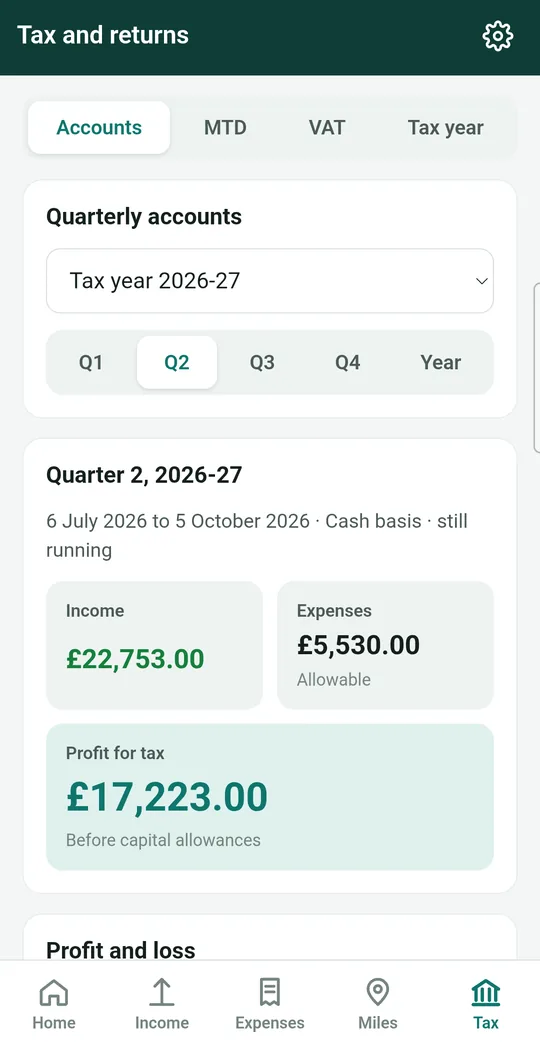
Tap Tax at the bottom of the screen. Accounts is the first section at the top.
-
Pick the dates
Check the tax year shown, then tap Q1, Q2, Q3, Q4 for a three-month quarter, or Year for the whole tax year.
-
Read the figures
- Income, Expenses and Profit for tax at the top.
- Profit and loss: your costs sorted into the same headings HMRC uses.
- Takings by source: how much each app or company paid, the fees they kept and how many trips you did. Great for seeing which app is worth your time.
Share a summary
-
Tap Share accounts
Scroll to the bottom of the accounts and tap Share accounts. Your phone's share menu opens.
-
Choose where to send it
Tap Gmail or your email app to send it to your accountant, WhatsApp to message it, or Drive to keep a copy. The document opens in any web browser.
Send every entry as a spreadsheet
Accountants often like a spreadsheet with every single entry. Tap Entries as CSV at the bottom of the accounts, then choose where to send it. A CSV file opens in Excel, Google Sheets and Numbers.
Other things you can share
- Your tax calculation: Tax › Tax year › Share computation.
- A VAT return: open the return and tap Share return.
- An MTD quarterly update: open the quarter and tap Share summary.
- An invoice: see guide 11.
Only share with people you trust
These documents include your name and business figures. Check who you're sending them to before you tap send.